You do not need a scanner
A phone photo of a print works. Lay it flat, get even light on it — a window in daytime is ideal, overhead room lighting is the thing to avoid because it puts a bright patch in the middle — and shoot straight down rather than at an angle.
Glare is worth more effort than resolution. A slightly soft photo restores well; a photo with a white blown-out reflection across the middle does not, because there is nothing under the glare for the model to recover.
If the print is in an album behind plastic, take it out if you can. The plastic sheen reads as damage and the model will sometimes try to reconstruct detail that the sheen is hiding, which invents rather than restores.
What restoration actually does
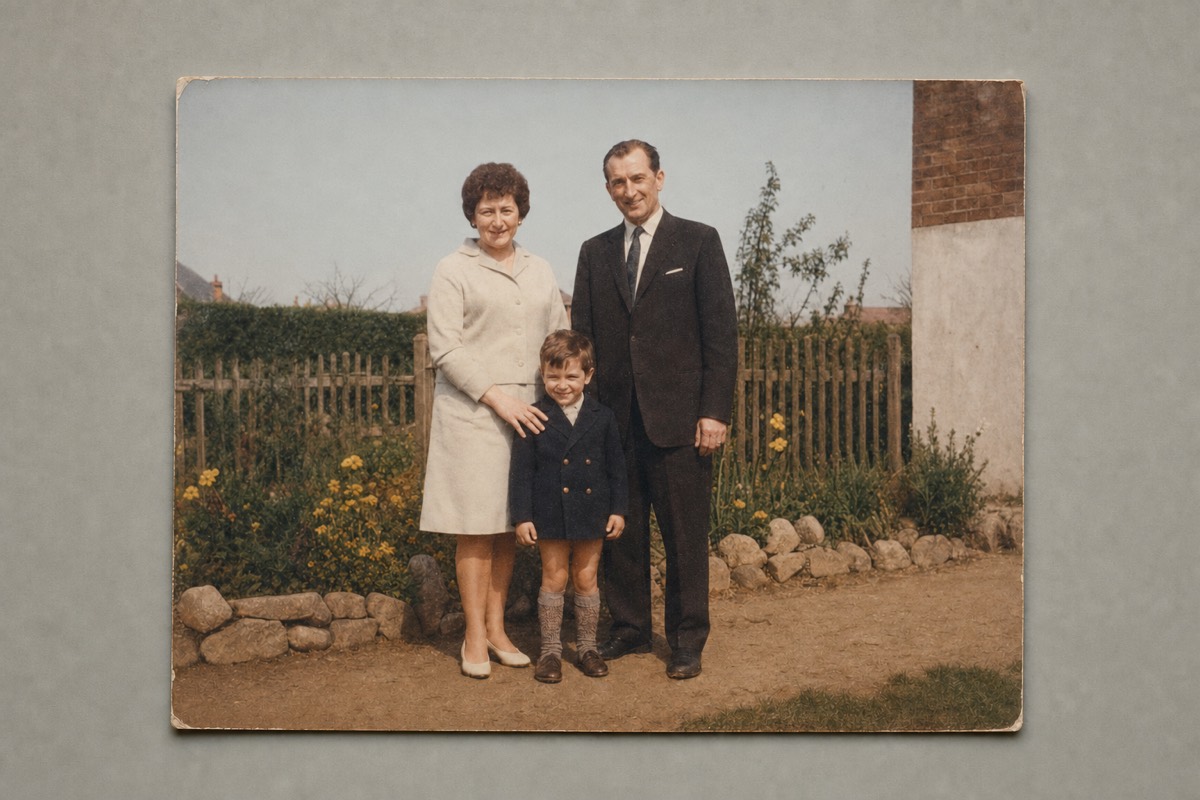
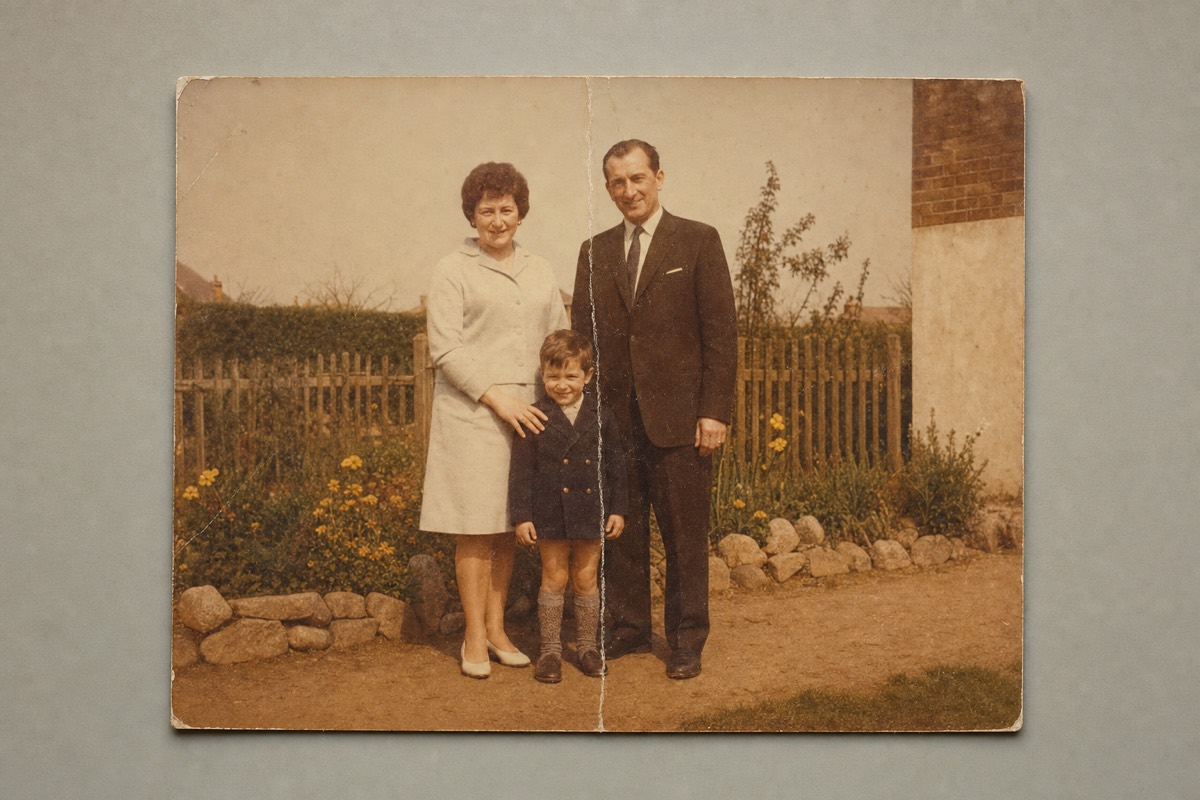
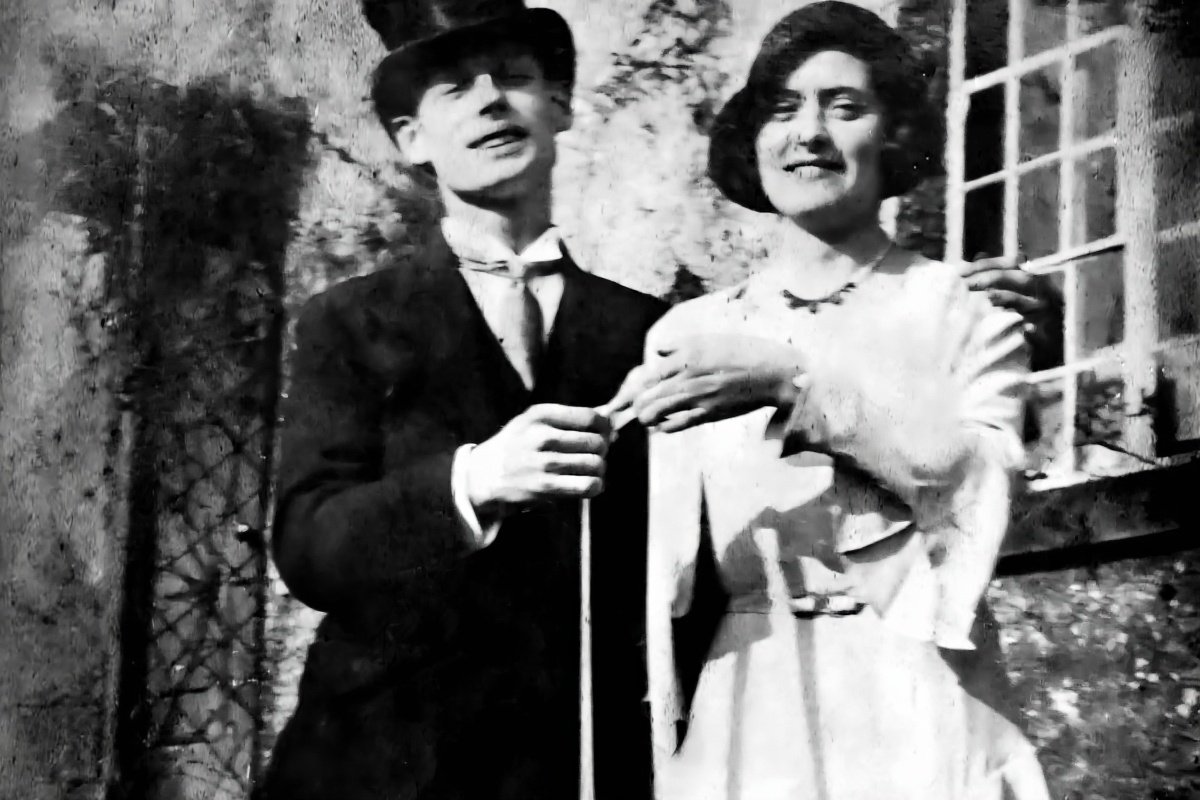
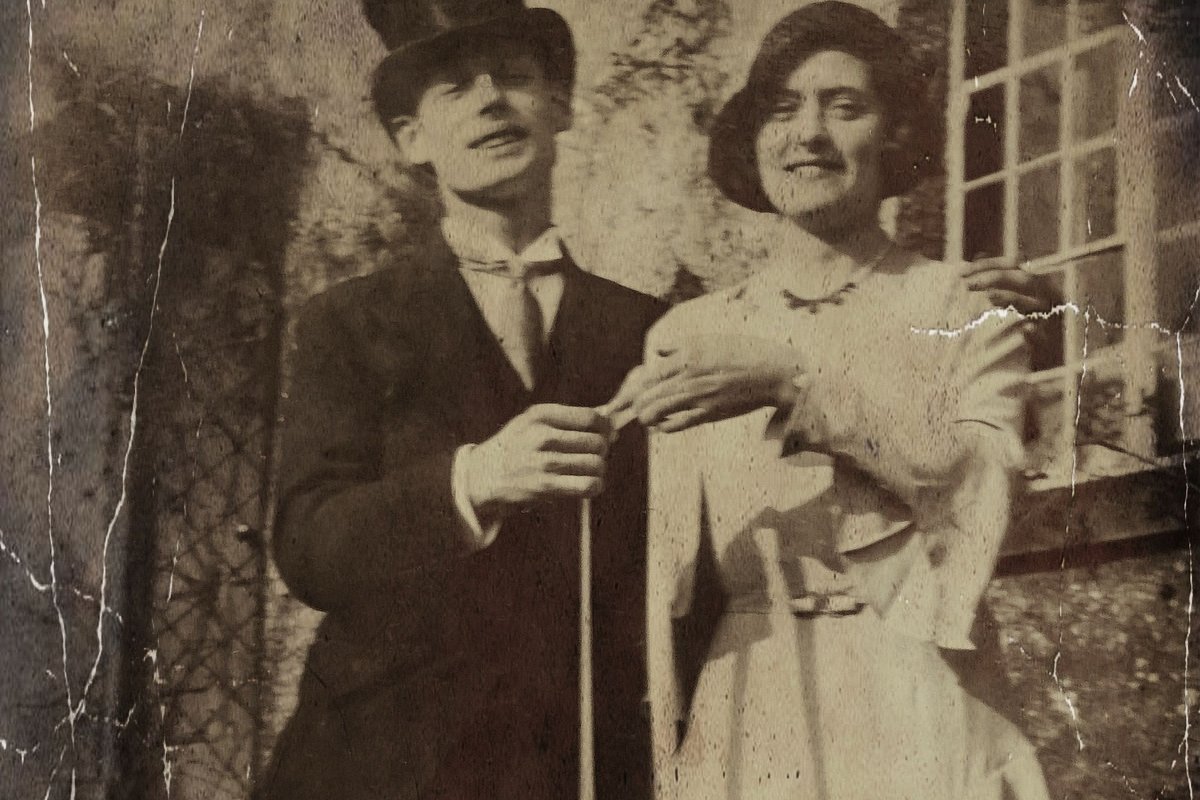
Physical damage is the strongest case. Creases, tears, missing corners, spots of foxing and surface scratches are filled in from the surrounding image, and on anything that is not a face this is close to invisible.
Fading and colour casts are the second strongest. Prints from the sixties and seventies commonly shift orange or magenta as the dye layers degrade at different rates, and the model corrects this back toward neutral reliably.
Softness improves but has a ceiling. A print that was slightly out of focus when it was taken can be sharpened convincingly. A print where the subject was moving is not recoverable — the information is not in the image, and anything the model adds is invention.
Checking the face before you keep it
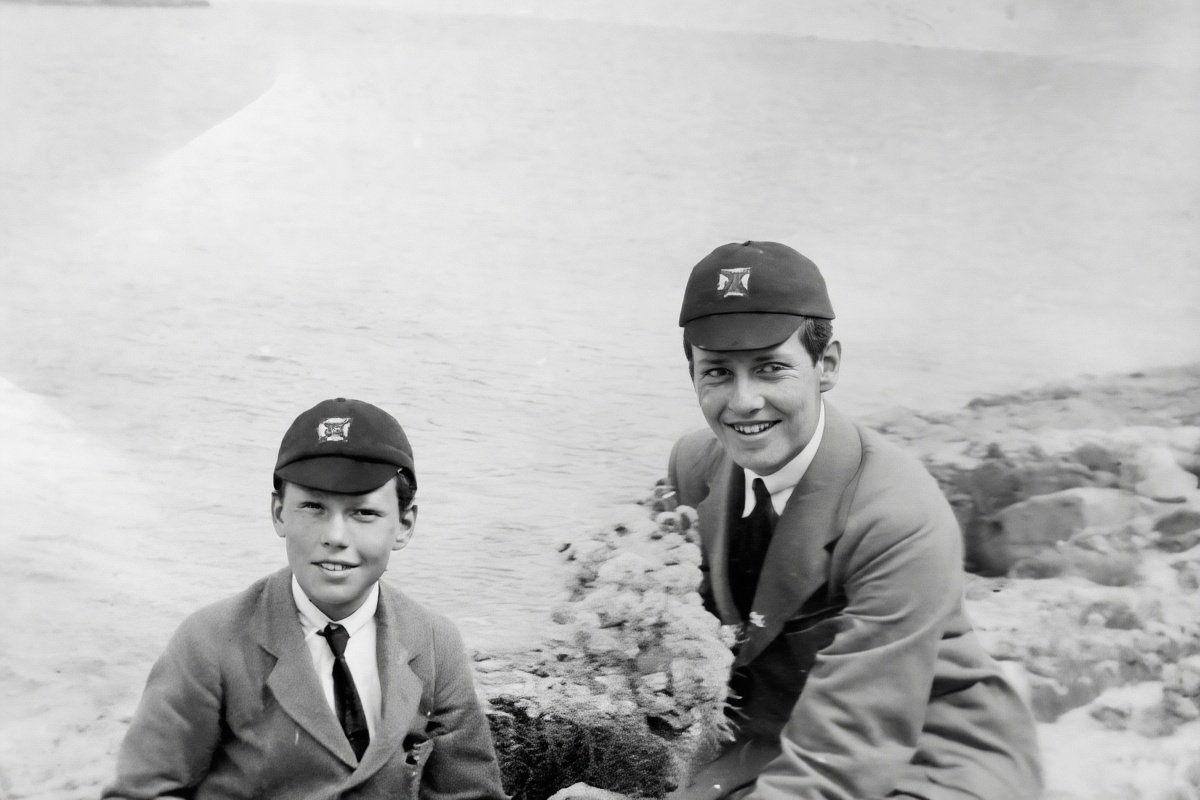
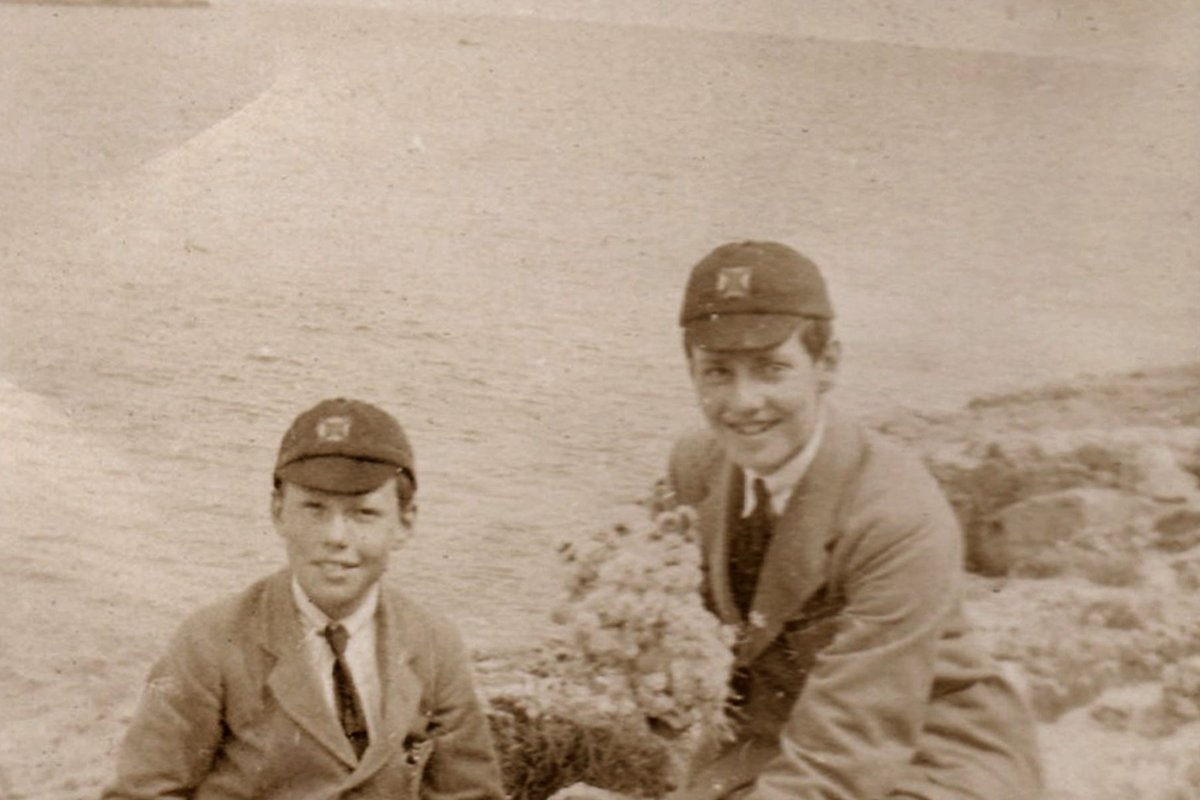
One check is worth doing on every family photo, and it takes two seconds. When a face is intact and merely scratched or faded, the repair is a genuine repair and the person still looks like themselves. When a face is badly damaged or very small in the frame, the model fills the gap with a plausible face rather than recovering the original.
On a face that is intact but scratched, the repair is genuinely a repair and the person still looks like themselves. On a face that is small in frame, badly faded or torn across, the output can come back looking like a different person — subtly, in a way that is easy to miss and unpleasant to notice later.
Compare the result against the original before you accept it. The before and after slider exists for this. If the face has changed, use the original for the face and the restoration for everything else, or accept the damage rather than the substitution.
Getting a better restoration
Say what is wrong. "Repair the crease across the middle and remove the yellow cast" outperforms a generic restore instruction, because it tells the model where to spend its attention.
Restore in one pass rather than several. Running a restored image through again tends to smooth skin and fabric into something plastic, and each pass moves further from the original.
If the print is black and white and you want it in colour, restore it first and colorize as a separate step. Asking for both at once gives the model two large jobs and the result is usually worse than doing them in sequence.
Cost, limits and privacy
Try one 1K Nano Banana 2 Lite photo edit without an account. Sign in to use the rest of your three-image Lite welcome gift. After all three Lite results are complete, receive 40 Nano Banana Pro gift credits for one 1K photo edit on each later UTC day. Daily gifts do not carry over.
Nothing is watermarked. Restorations are edits of your own photo, and edits are never marked on any tier.
Family photos are exactly the case where deletion matters, so it is worth stating plainly: the upload is deleted when processing ends, the result link expires on its own, and no copy is retained. Download what you want to keep.
Questions people ask
Do I need to scan the photo?
No. A phone photo taken flat in even daylight works well. Avoiding glare matters more than resolution, because there is nothing under a blown-out reflection to recover.
Will my relative still look like themselves?
If the face is intact and only scratched or faded, yes. If the face is badly damaged or very small in the frame, the model generates a plausible face rather than recovering the real one. Always compare against the original.
Can it colorize as well as repair?
Better as two steps. Restore the damage first, then colorize the restored copy. Asking for both in one instruction usually produces a worse result than doing them in sequence.
Can it fix a blurry photo?
Softness from slight misfocus improves. Motion blur does not, because the detail was never captured — anything that appears in its place is invented, not recovered.
Are my family photos kept anywhere?
No. The upload is deleted as soon as processing finishes and the result link expires on its own. No second copy is kept.