What this is, and what it is not
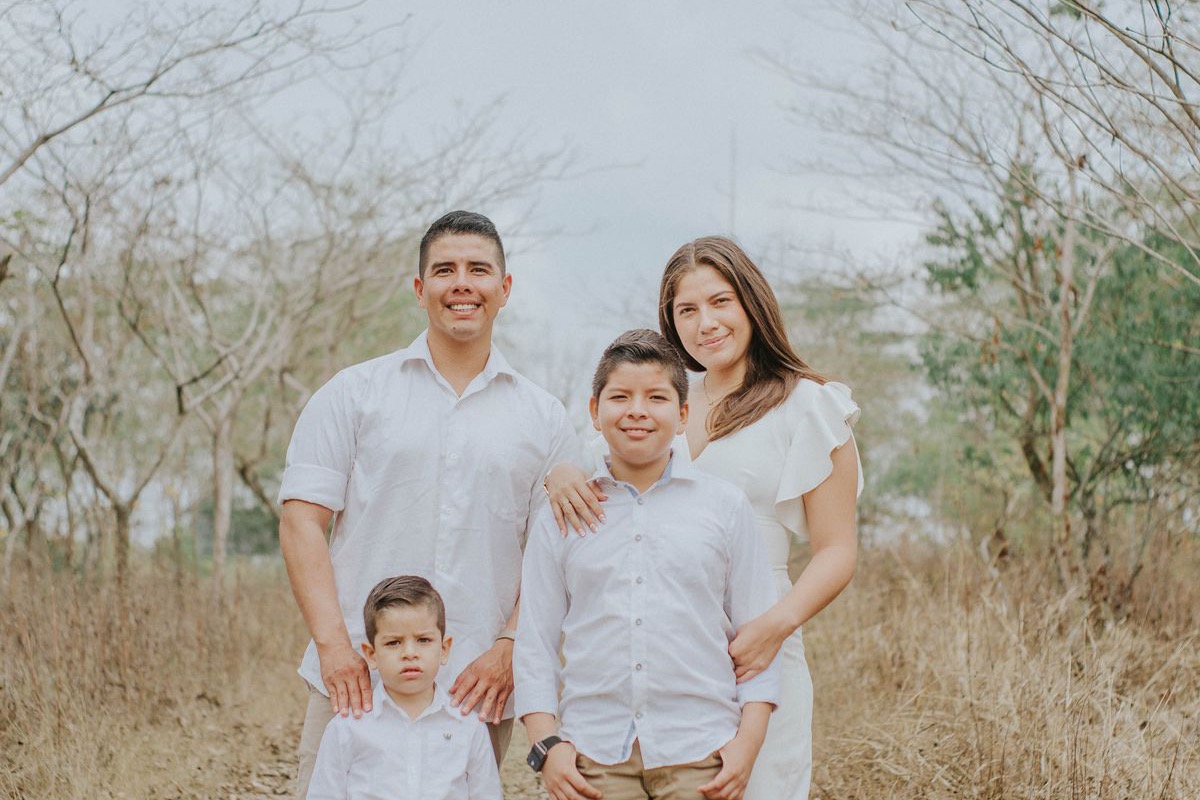
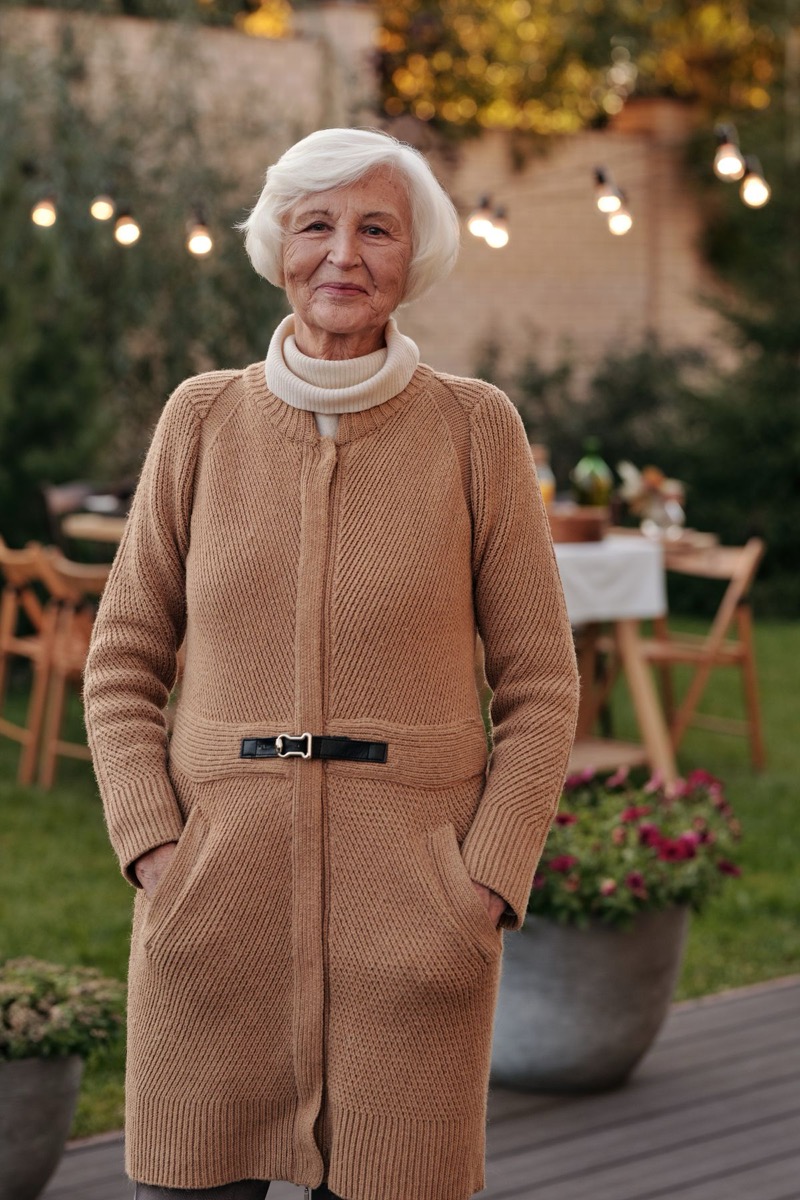
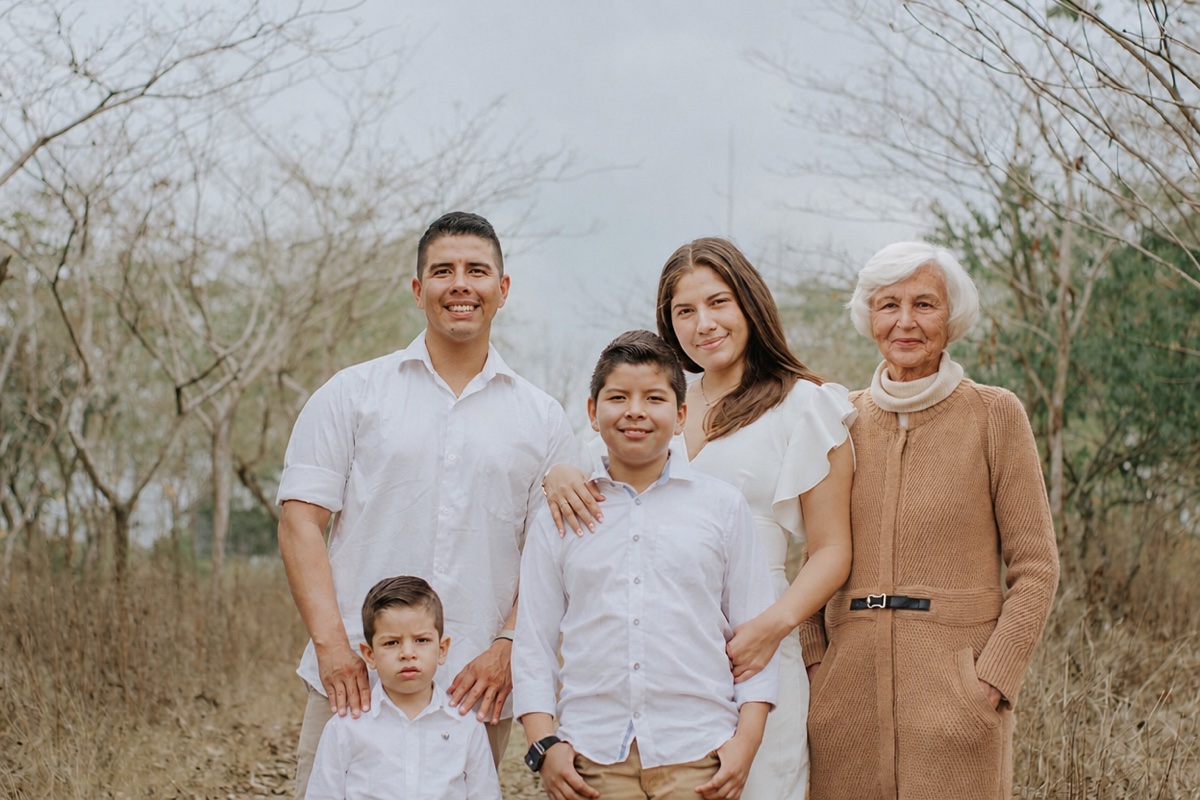
This puts a person from one photograph into another. You give it the family picture you have now and a picture of someone who has died, and it hands back a single photograph with them in it — standing at the end of the row, sitting beside the bride, holding nobody but present.
It is the same job as putting the person behind the camera into a group shot, and it works in the same way: nothing is cut out and pasted, the whole frame is redrawn with them in it, which is why the light can come out matching rather than looking stuck on.
What it is not is a likeness of them today. The model draws them as they look in the picture you upload — the age, the hair, the glasses — and it cannot know how somebody would have looked ten years on. Choosing that picture is therefore the real decision on this page, and most of what follows is about making it well.
The two photographs, in order
The family photograph goes first. It is the base: its framing, its light, its colours and everyone already in it are what the result keeps, so use the version you would actually print, not a screenshot of it.
The picture of your loved one goes second. Look for one where their face is clear and reasonably large, lit from roughly the same side as the family photo, and taken from roughly the same height. A portrait from a wedding or a studio sitting is often better than a favourite snapshot, because it is sharp and evenly lit.
Coverage matters as much as the face. If they need to stand at full height and the only picture you have is a head and shoulders, everything below the collar will be invented, clothes included. That is fine when nobody remembers what they wore, and jarring when everybody does.
Where several pictures exist, try two or three rather than choosing between them in advance. Which one sits best is hard to predict and easy to see, and that is what the free edits are for.
When the only picture is an old one
This is the usual case: a recent colour photograph of the family and a faded, creased or black and white print of the person who is missing. Asking the model to bridge all of that in one step asks too much, and it tends to answer by inventing.
Repair the old picture first. Run it through the restore tool to take out the scratches and the creases, colorize it if it is black and white, and then use that repaired picture as the second upload. Each step is small and checkable on its own, which a single large leap is not.
Then say the light out loud in the instruction: "match the warm indoor light of the first photo". An old print carries the colour of its own decade, and the model will happily carry that across into the new picture unless it is told what the room actually looked like.
Saying where they go
Name the place and the person beside it: "standing at the right end of the row, beside the woman in the green dress". A position alone leaves the model to guess how far back they stand; naming a neighbour settles both.
Give a height and a pose. "Seated, about the same height as the man on the left" stops the most common visible fault, which is somebody a little too tall or too small for the row. Grandparents are often best seated, and seated figures are also the easiest for the model to place convincingly.
Prefer the edge of a group to the middle of it. In the middle, the model has to invent the parts of the people they now stand in front of, and it may change them a little. At the end of a row, only the person you are adding is new.
Ask for their shadow, and say "as they look in the second photo" if you want their age kept. Both are short clauses and both change the result more than any adjective does.
The check that matters most: their face
The person you add is redrawn, not copied, and a redrawn face can drift — slightly younger, a different nose, a smile they did not have. With a stranger nobody would notice. With somebody the whole family knew, everybody will, and usually after it has been printed and framed.
So open the result at full size, put it next to the photograph you uploaded, and look at the eyes, the mouth and the line of the jaw. If it is close but not right, a different source picture fixes it more often than a different instruction does. If none of them come back right, that is a real limit, and it is better to stop than to keep one that is nearly them.
If a whole picture of them needs no changes, just a better home, consider whether the job is really to add a person to a photo at all. Sometimes the kinder thing is the original portrait, restored and printed beside the family picture, rather than a composite that has to be explained.
Where these pictures get used
Wedding albums and the table by the entrance, where a parent who has died is usually remembered anyway. Order of service and memorial cards. Holiday cards in the first year. The photograph of a new baby with the grandparent who did not get to meet them. And the reunion photograph, which is often the only one in years with everybody in it.
For anything that goes to the wider family, it is worth saying that the picture was made rather than taken. Nobody minds, and it heads off the moment when a cousin asks when it was taken and somebody has to explain at a bad time. Children in particular should know which pictures are memories and which are wishes.
Keep the originals. The composite is the version that gets shared, and the two photographs it came from are the record. Store them together.
Cost, limits and privacy
Try one photo edit free, without an account. Sign in with Google to get two more free photo edits. Free edits run on GPT Image 2.5 at 1K, and every result is watermark-free. When they run out, a one-time credit pack or a monthly plan picks up where they stop.
The result carries no watermark on any tier, because it is an edit of photographs you uploaded. Free results are for personal use, which covers a family print, a card or a memorial programme; commercial use is covered from Pro up.
Both uploads are deleted as soon as processing finishes. The result sits at a temporary link that expires on its own — 1 day anonymously, 7 days with a free account — and no second copy is kept anywhere, so download it when you have one you want to keep. Each file is capped at 10 MB, in JPG, PNG or WebP.
Questions people ask
Can AI add my late grandmother into a family photo?
Yes. Upload the family photo first and a clear picture of her second, then say where she should sit or stand, and the AI redraws the frame with her in it. Compare her face with the original before you print, because a redrawn face can drift.
How much does it cost?
Try one photo edit free, without an account. Sign in with Google to get two more free photo edits. After that, a credit pack costs from $9.99 once, or a plan from $9.99 a month.
Will they look like themselves?
Usually, when the picture of them is clear and reasonably large. The face is redrawn rather than copied, so compare it at full size with the original before you print it, and try another source picture if it has drifted.
Can it show them older, as they would look now?
Not reliably. It draws them as they look in the picture you upload. Asking for an older version gives you a guess at an older face, and with someone the family knew well, a guess is easy to see.
The only photo I have is black and white. Will that work?
Yes, and it works better if you colorize it first, then use the coloured version as the second upload. If it is also scratched or creased, restore it before that.
Can I add them to a wedding photo?
Yes. Use the clearest wedding-day group or couple photo as the base, place them at the end of a row or seated at the front, and ask for the light of the first photo to be matched.
Can I add more than one person?
One at a time works best. Add the first person, download the result, then use that result as the base for the next. Two people in one request doubles the chances of a face drifting.
Why does the person look pasted in?
Usually the light does not match, the size is wrong, or there is no shadow. Name the light you want matched, give a height relative to someone already there, and ask for their shadow.
Is the result watermarked?
No. This is an edit of your own photographs, and edits carry no watermark on any tier, including anonymous free use.
What happens to the photos I upload?
Both are deleted as soon as processing finishes. The result lives at a temporary link that expires by itself — 1 day anonymously, 7 days with a free account — and no second copy is kept.