What a Sheru Bhai photo is
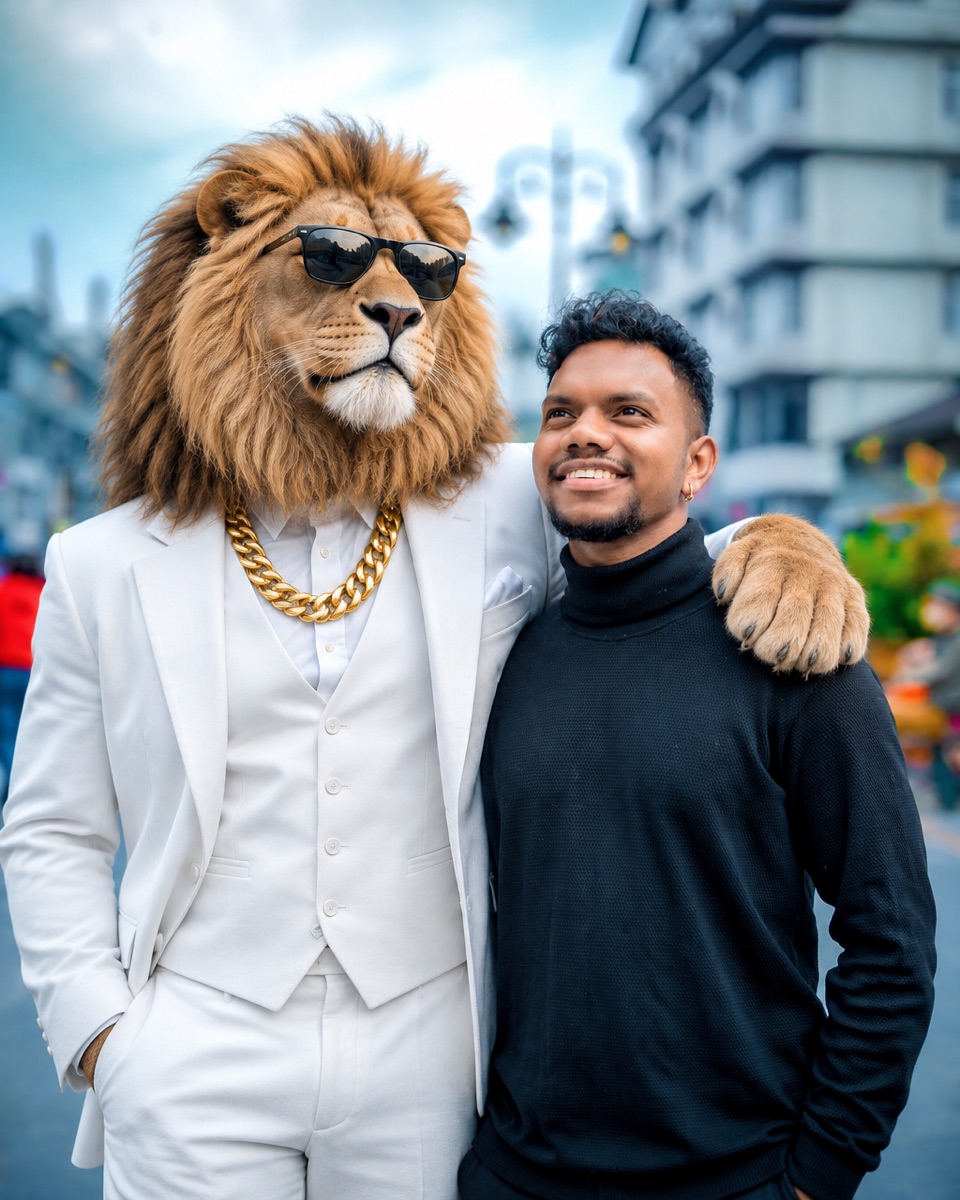
Sheru Bhai is a lion character that spread across Instagram, YouTube and WhatsApp statuses: he stands upright like a man, wears a tailored suit, a heavy gold chain and black sunglasses, and is usually posed beside somebody as if they were old friends or business partners. The trend is simply to make that picture with yourself in it.
Most guides for it hand you a long prompt and send you to a chatbot. Here the sentence is already in the box above, and the editor works on your own photograph, so you upload once, press the button and get a picture back.
Editara has no connection with the people who created the character, and none of their pictures are used. The lion is described in words and drawn new every time, which is why no two results look exactly alike.
The photo to start from
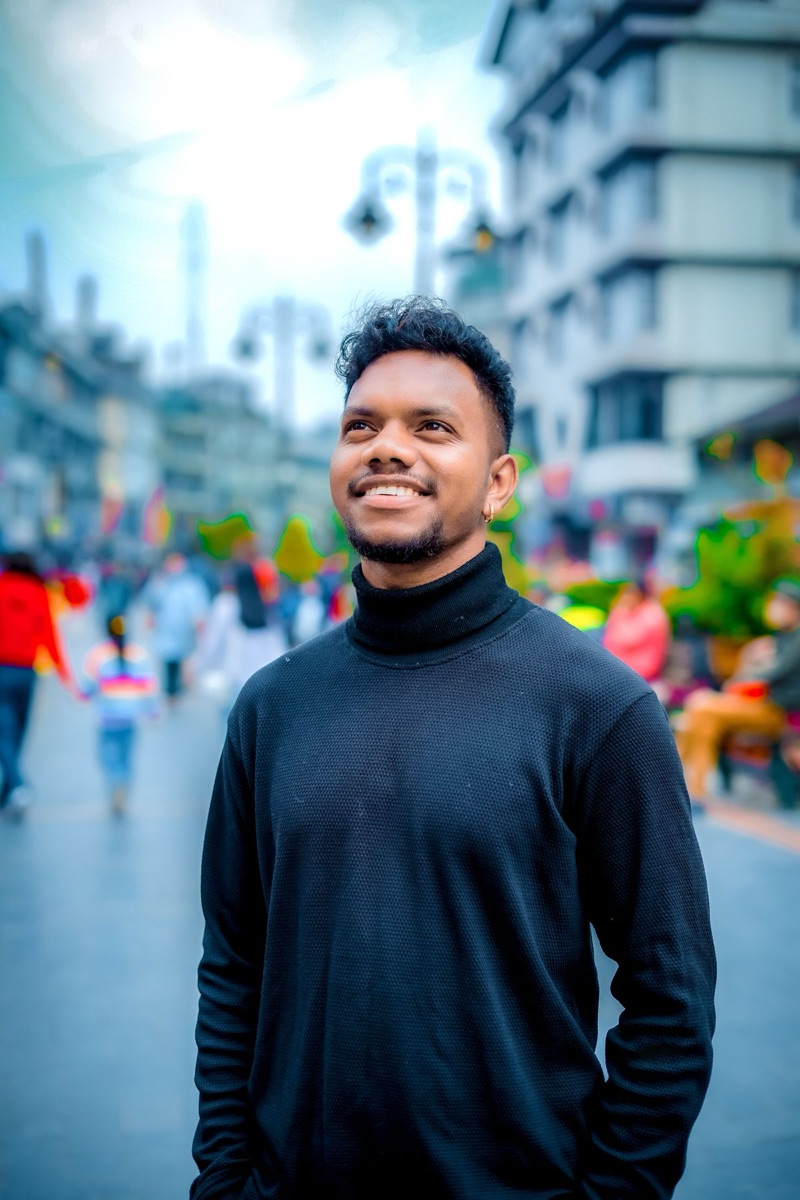
Use a picture of you on your own, taken from the waist up or full length, with your face clear and reasonably large. The lion is added beside you, so a little space on one side helps; a tight selfie gives him nowhere to stand except half out of the frame.
Daylight or even indoor light works best. Strong coloured light, heavy filters and night shots tend to come back with the lion lit differently from you, which is the quickest way for a picture to look pasted together.
Group photos work less well. With three people in frame the model has to decide whose shoulder gets the paw, and it may redraw the others while it decides.
Changing the sentence
The pre-filled sentence names the parts people recognise: a white three-piece suit, a thick gold chain, black sunglasses and a paw on your shoulder. Change any of them and the result follows — a black suit, a cream sherwani, no sunglasses.
You can move the scene as well as the lion. Add "in front of a luxury hotel entrance", "beside a black sports car" or "at a palace gate with marble pillars", and the background is redrawn around the two of you. Changing the setting asks more of the model than adding a figure, so check your face more carefully when you do it.
Keep the clause that protects you: "keep my face, hair and clothes exactly as they are". Without it the model is free to tidy you up along with everything else. This is the same kind of edit as any image to image AI request, and the same rule applies — say what must stay as clearly as what must change.
What to check before you post it
Your face first. The whole picture is redrawn, not cut and pasted, so your face can drift — a slightly different smile, your head turned another way, skin a little smoother. In the example on this page the face stayed recognisable but he was moved to one side and now looks at the camera instead of upwards.
Then the lion's hands. A paw on the shoulder usually comes out right; a hand in a pocket or holding something sometimes comes back as a human hand. In our example the hand in his trouser pocket is a man's hand, not a paw, which is easy to miss and obvious once seen.
If either is wrong, run it again or change one thing in the sentence. A different source photo fixes a drifting face more often than more words do.
Where these pictures get used
Instagram posts and stories, WhatsApp statuses and profile pictures, reel covers and birthday wishes, mostly for a laugh between friends. The suited lion reads as a boss, a bodyguard or a best friend depending on how you pose with him.
It is still an AI-made picture of you next to someone else's character, so post it as a bit of fun rather than as anything official, and do not use it to sell things.
Cost, limits and privacy
Try one photo edit free, without an account. Sign in with Google to get two more free photo edits. Free edits run on GPT Image 2.5 at 1K, and every result is watermark-free. When they run out, a one-time credit pack or a monthly plan picks up where they stop.
The result carries no watermark on any tier, because it is an edit of a photograph you uploaded. Free results are for personal use, which covers posting it on your own accounts.
Your upload is deleted as soon as processing finishes. The result sits at a temporary link that expires on its own — 1 day anonymously, 7 days with a free account — and no second copy is kept anywhere, so download the one you like. Each file is capped at 10 MB, in JPG, PNG or WebP.
Questions people ask
What do I need to upload?
One clear photo of yourself, waist up or full length, with some space beside you. The lion is added to that photo; you do not need a picture of him.
Is this the official Sheru Bhai app?
No. Editara is a general photo editing tool with no connection to the creators of the character. The lion is drawn from a written description each time, not copied from their pictures.
Do I need to write a prompt?
No. The sentence is already filled in. You can press the button as it is, or change the suit, the chain, the pose or the place first.
Will my face stay the same?
Usually close, but it is redrawn rather than copied, so compare it with your original before posting. If it has drifted, try again or use a sharper photo of yourself.
Can I change the background too?
Yes. Add a place to the sentence, such as a hotel entrance, a sports car or a palace gate. Bigger changes give the model more room to alter your face, so check it closely.
Can I put the lion next to a friend or a couple?
Yes, upload that photo instead and say who the lion stands beside. One or two people work best; in larger groups the model may change the people it is not adding to.
Why does the lion have a human hand?
It happens, especially when a hand is in a pocket or holding something. Ask for "both paws visible" or "one paw on my shoulder, the other at his side" and run it again.
Is the result watermarked?
No. This is an edit of your own photograph, and edits carry no watermark on any tier, including anonymous free use.
What happens to the photo I upload?
It is deleted as soon as processing finishes. The result lives at a temporary link that expires by itself — 1 day anonymously, 7 days with a free account — and no second copy is kept.